Shift scheduling for small shops

The work schedule, faster than paper.

Still building the schedule on paper, a whiteboard or a spreadsheet? Tap AM or PM and the week fills in, and short-staffed days and hours stand out at a glance. Then send it to staff with one link, even if they don't have the app.

View on the App Store

For iPhone and iPad (iOS 18 or later). No account needed.

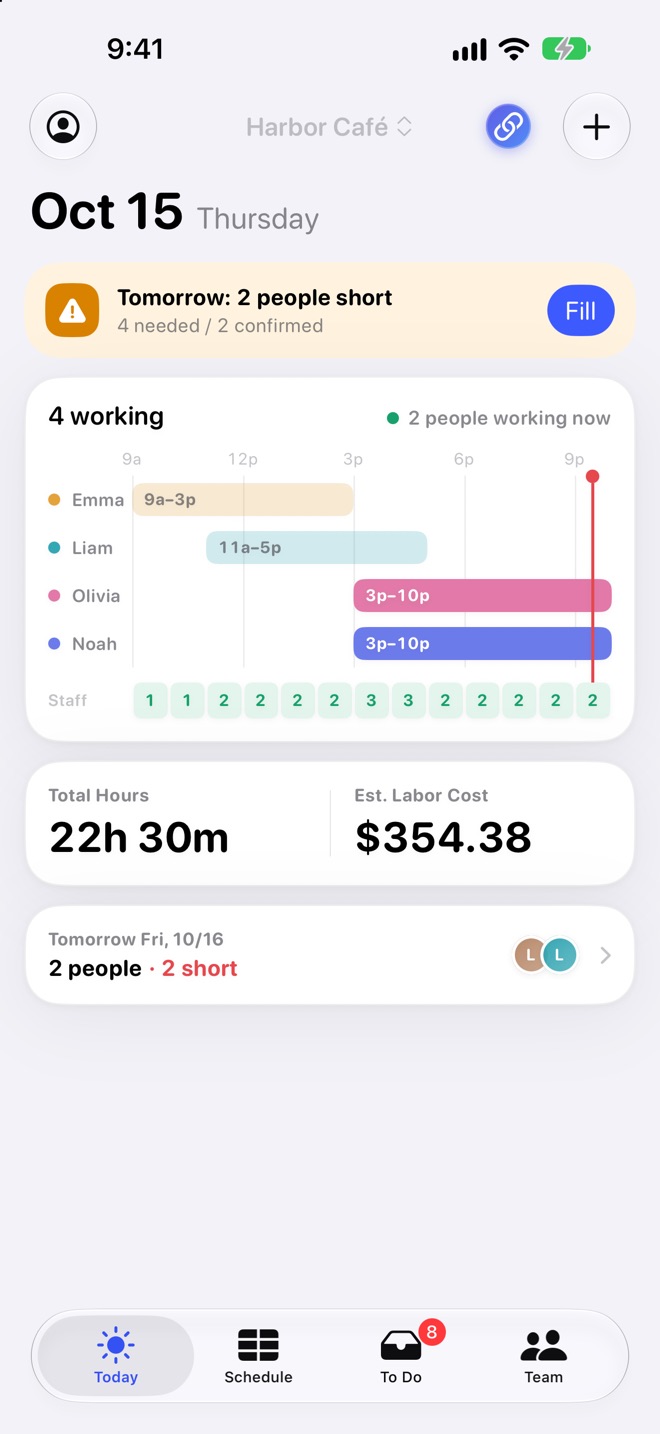
The Today screen with a note about tomorrow's shortage, who's working and their hours, how many are on shift now, and total hours and labor cost
  • 1

    Just like paper

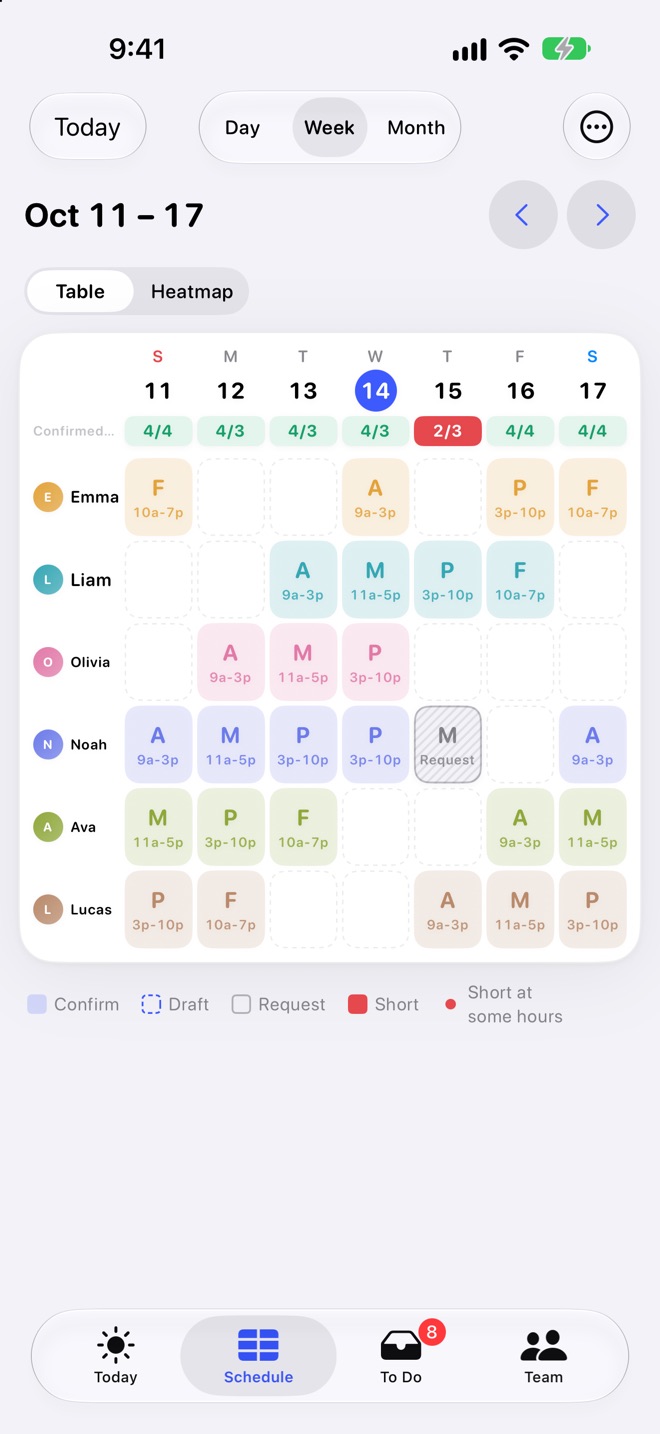
    A staff-by-day grid, the same shape as a paper schedule. Add your staff's names and you're ready.

  • 2

    Fill it with taps

    Tap AM, Mid or PM to add a shift. Short days turn red and thin hours get a dashed outline.

  • 3

    One link for staff

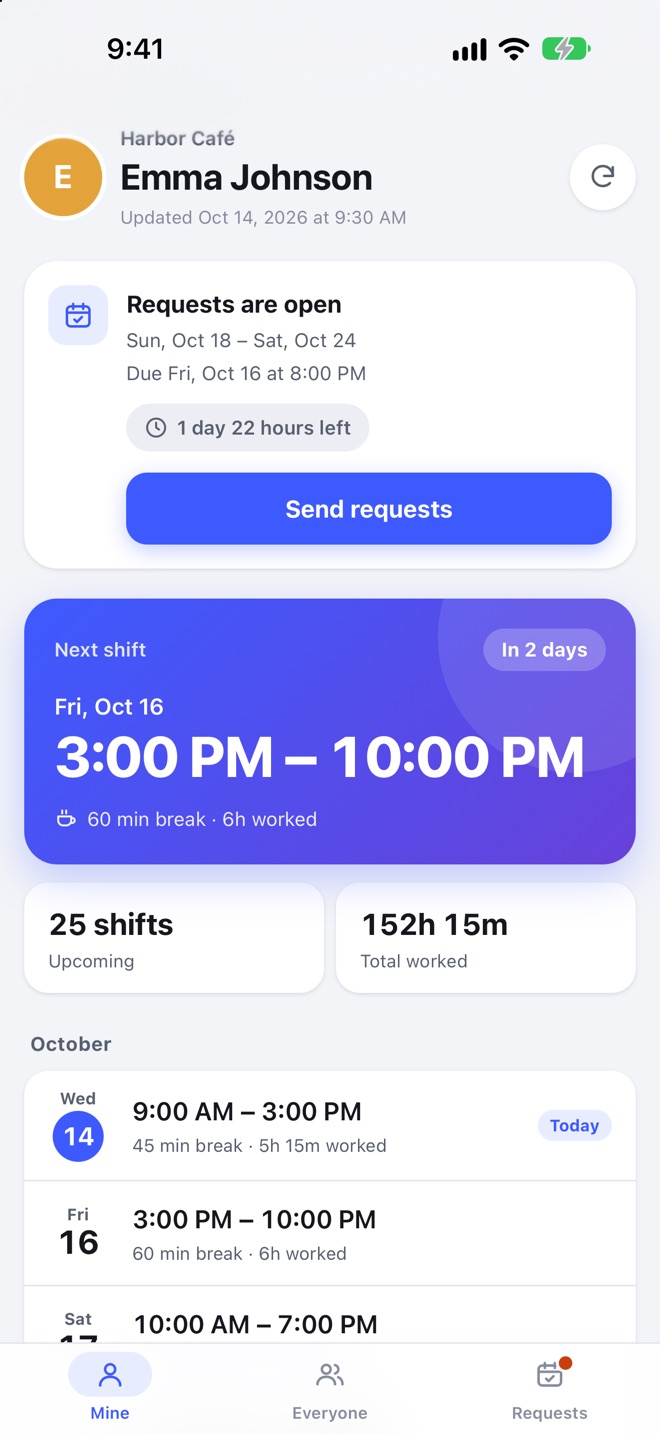
    No app for your staff. The schedule and request forms arrive as a link they open in any browser.

Built for managers who make the schedule themselves

Cafes, restaurants, salons, retail stores, studios and tutoring schools with a handful to about 20 staff.

A paper-style grid you fill with taps

Tap a template to add a shift to the staff-by-day grid, and keep going day by day while you watch the week fill in.

  • Copy last week, and confirm draft shifts all at once
  • Switch between Day, Week and Month
  • Set regular closed days by weekday
The weekly schedule grid with AM, Mid and PM shifts in each staff row, and a short-staffed Thursday marked in red

See short-staffed hours, and where to add

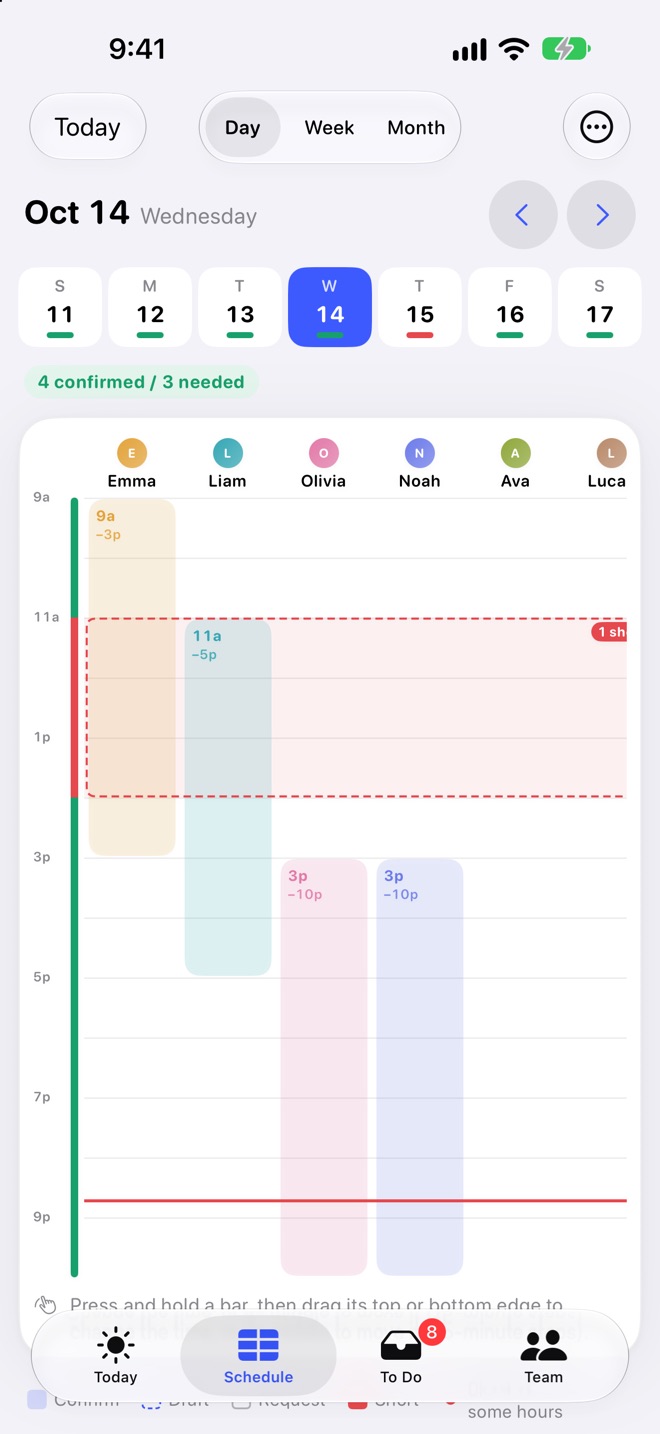
Set staffing needs by weekday and by time of day (for example, 3 people from 11a to 2p every day). In the Day view, "Add Here" suggests the shift that covers the most missing hours, and who is available to work it.

  • Press and hold a shift bar and drag its edges to change the time
  • Alerts for hours with no one on shift, long runs of days in a row, short breaks and short rest between shifts
The Day view with a bar for each person's shift and a dashed band showing one person short from 11a to 2p

Headcount by hour, as a heatmap

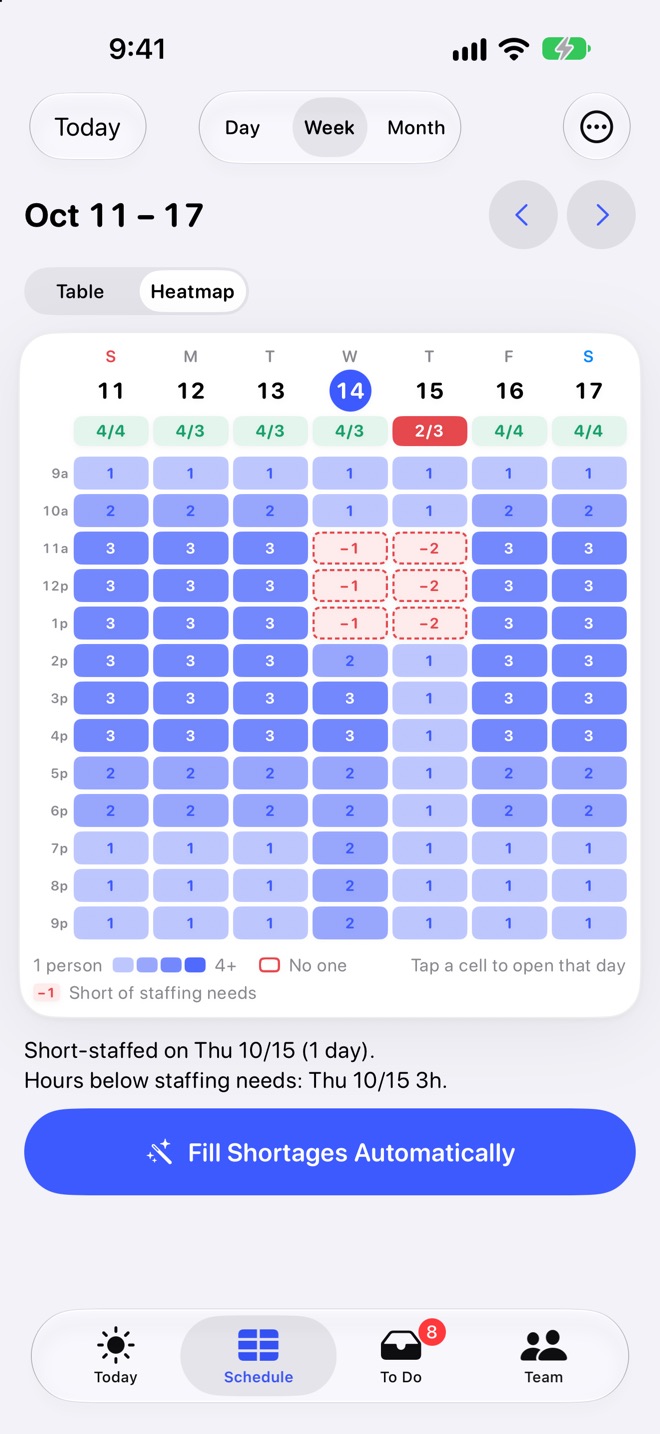
The week view has a table and a heatmap. The heatmap shades every hour of the week by how many people are working, so a thin lunch rush is easy to spot.

The weekly heatmap, shading each hour by headcount, with −1 and −2 on short hours

Collect staff requests by a deadline

Staff send shift requests, day-off requests and swap requests from their Shiftmate Link page, or from Staff View on the shop's device. Weekly Requests let them send a whole week at once, and late requests are marked.

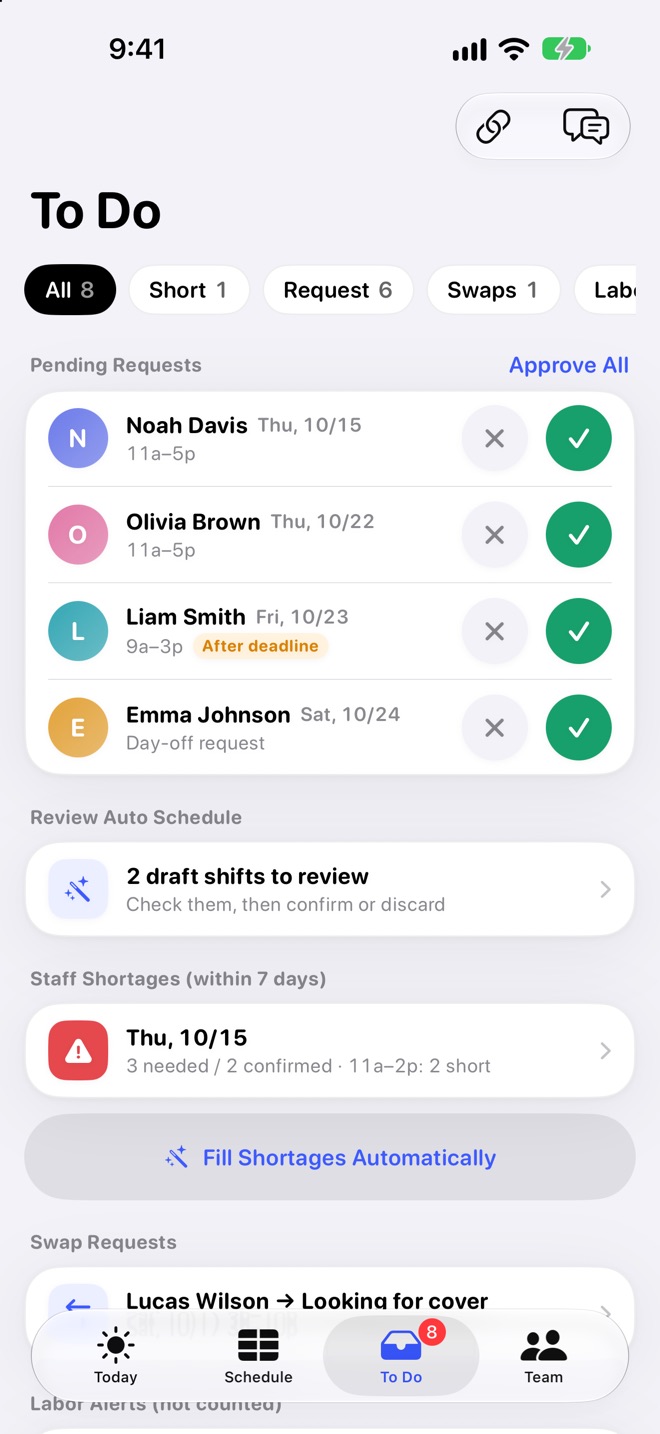
  • Approve or decline everything from the To Do tab
  • Someone called in sick? Find a Replacement lists who can cover, with overtime notes
  • Staff View has a personal PIN for each person, so no one can change someone else's shifts
The To Do tab with pending requests, draft shifts waiting for review and short-staffed days
Premium

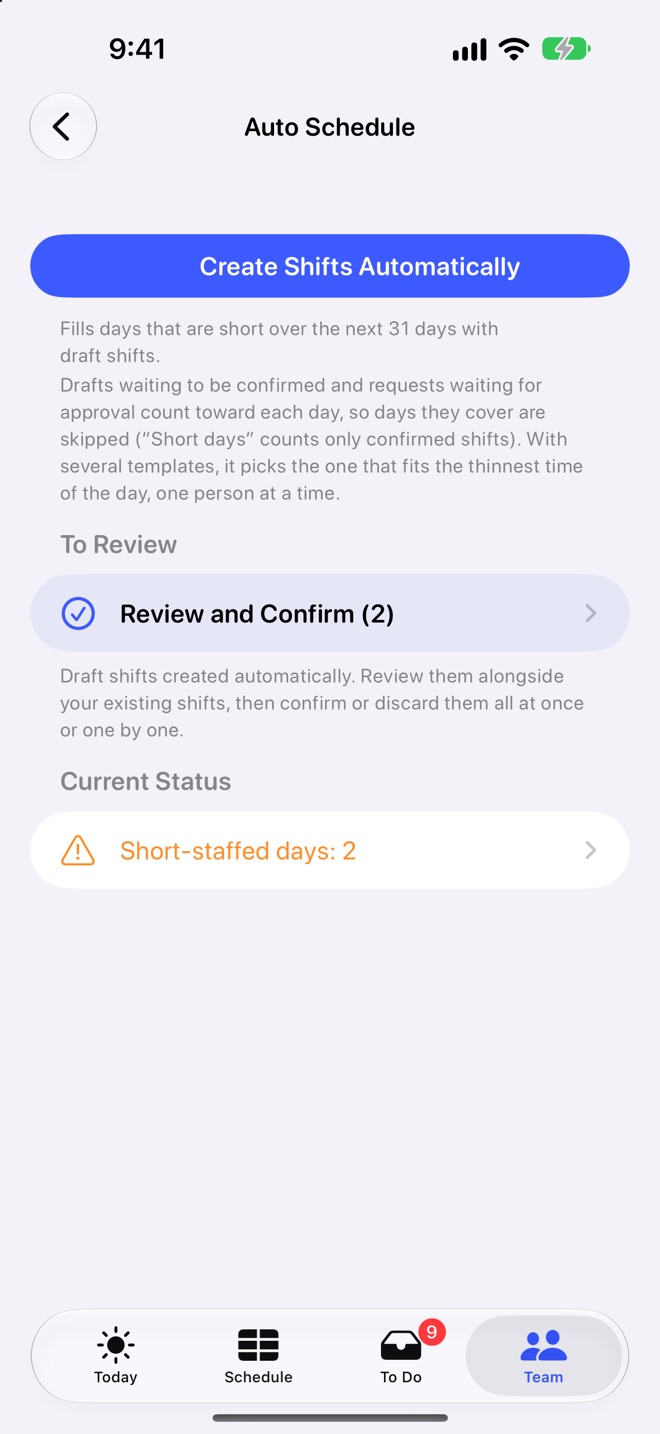
Fill gaps automatically

Creates draft shifts for short days from your staffing needs and staff requests. It respects weekly hour limits, days each person can't work, rest between shifts and fairness across the team. Nothing is final until you review and confirm.

The automatic scheduling screen with drafts waiting for review and the number of short days

Post it, share it, add it to calendars

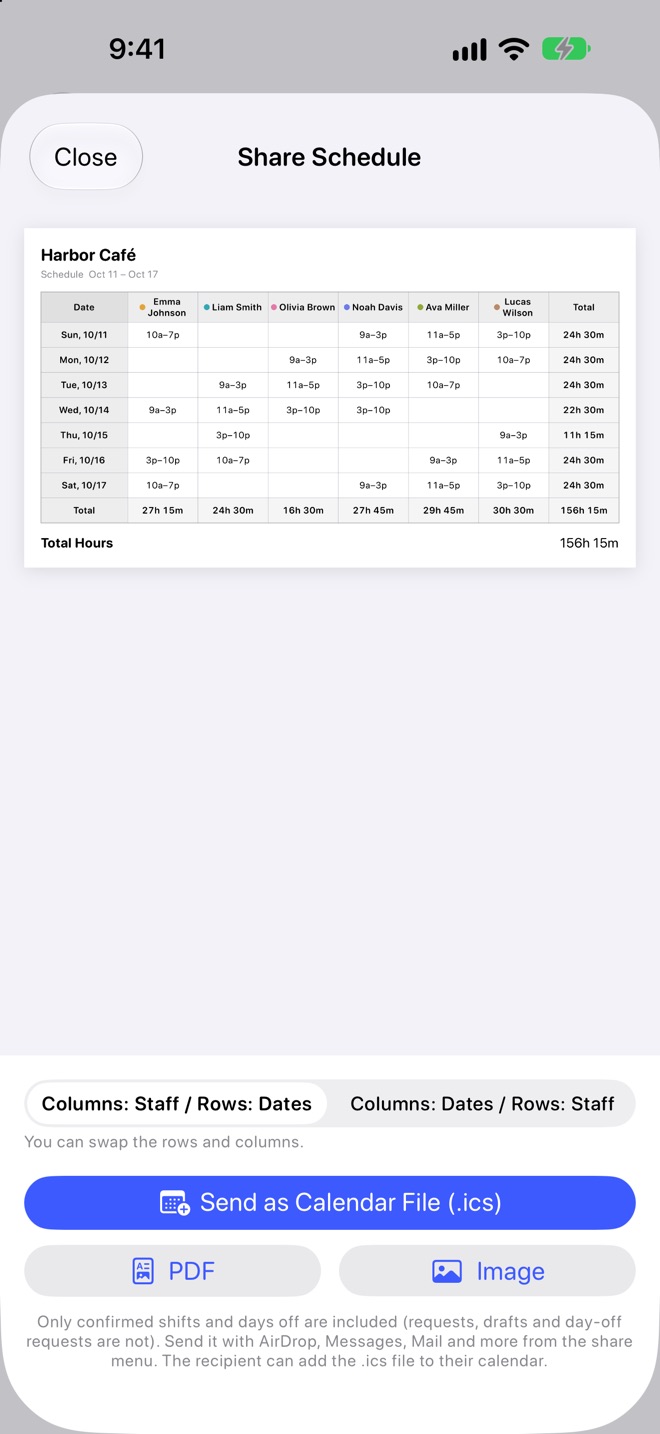
Add confirmed shifts to the calendar on your device. Share the schedule as an image or PDF (Letter in the U.S.), print it for the back room, or send a calendar file staff can add to their own calendar. Export totals as CSV by pay period.

  • Image, PDF, calendar file (.ics) and CSV export are Premium
The share screen with a schedule preview and buttons for calendar file, PDF and image

For the rest of the day, too

Once the schedule is set, today's crew and the pay period's totals live in the app as well.

Today at a glance

Who's working, when, and today's labor cost. Tomorrow's shortages show up here and in the day-before reminder.

Labor cost and hours

Hours and estimated labor cost per person, with U.S. federal (FLSA) overtime or a custom rule, totaled by your pay period. Book a raise ahead of time.

Home Screen widget

See today's crew without opening the app, and get an optional reminder the day before each workday.

Search and voice

Find shifts by staff name from your device's search, or ask for today's or tomorrow's shifts by voice.

Type requests in plain words

Type "Emma is off next Tuesday" and get proposed changes. Nothing is saved until you tap Apply.
iOS 27 on supported devices. Everything stays on your device.

Admin PIN lock

Labor costs and staff details stay behind an admin PIN, with biometric unlock supported.

Pay figures are estimates of gross pay. Taxes and deductions are not included.

Your data stays on your device

No sign-up. Your data is stored on your device and works without a connection (except sending and receiving Shiftmate Link). What you share by link is encrypted, so even we can't read it. There's no analytics or advertising inside.

Start for free

Building the schedule works without Premium. When your shop grows, unlock Premium with a one-time purchase. To reach staff by link, add Shiftmate Link.

Free

Up to 3 active staff

  • Build schedules with templates, bulk entry and copying
  • Staff requests, approvals and swaps
  • Staffing needs and shortages
  • Totals, widget and day-before reminders

Shiftmate Link

Monthly or yearly subscription

  • A personal page for each staff member
  • Share the schedule by link, always up to date
  • Collect requests by link, with notifications
  • A QR code for the shared schedule

Buy Premium once and restore it on your other devices with the same Apple Account. Shiftmate Link is sold separately and works without Premium.

Build next week's schedule today.

Add your staff's names and you're ready.

View on the App Store